
Accessing the Bulletin
How to Utilize the LPi Update
The online bulletin can be used in two main ways — as an animated feature or as a PDF (i.e., a document). The following step-by-step instructions show you how to use the new features to their full potential for easy reading.
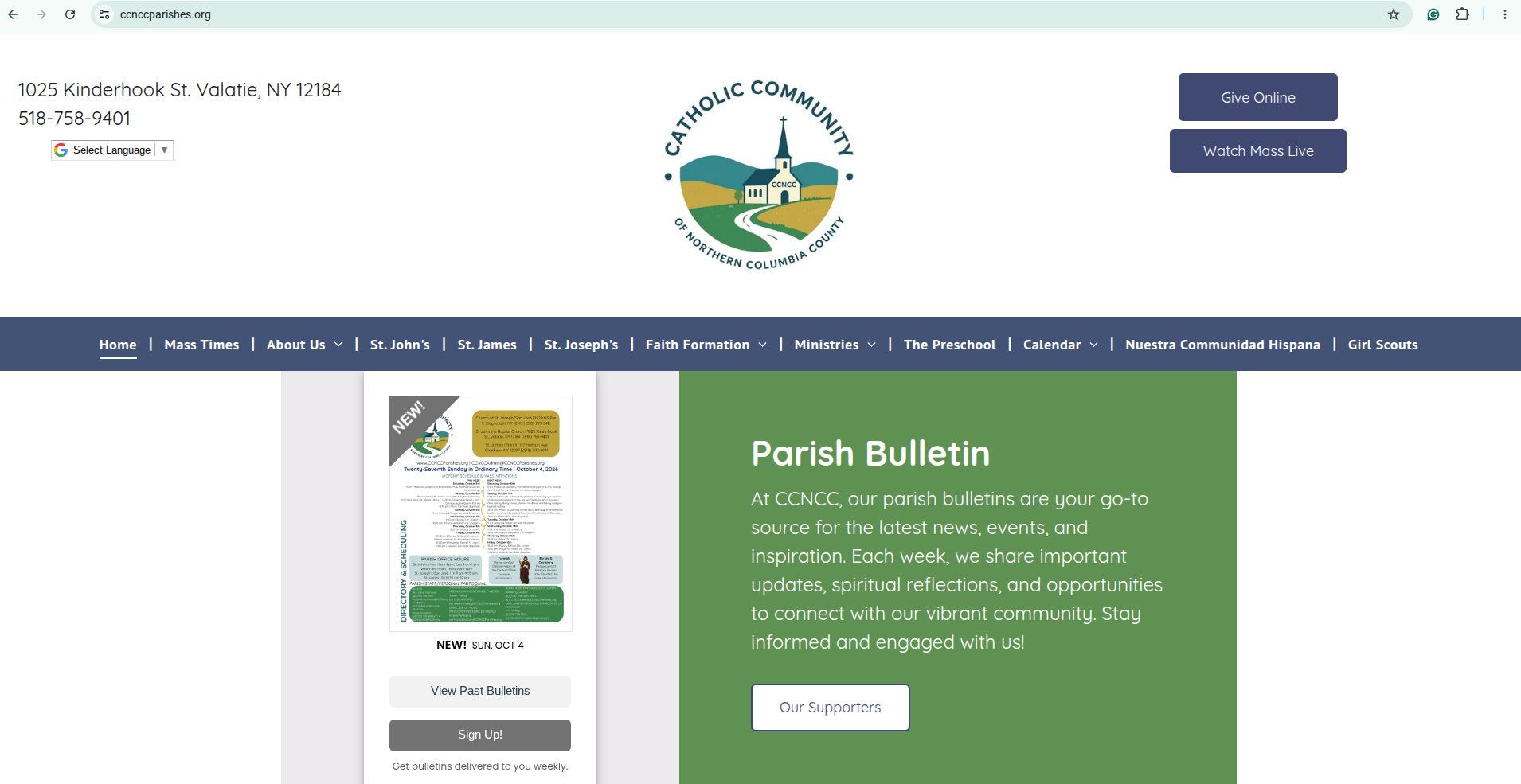
Step One for Animated Use
Your first obligation in this step is to simply click the link found on our website for accessing the bulletin. Enter www.CCNCCParishes.org into your web browser. A home-landing page will come up. Scroll towards the bottom of the home page until you find the bulletin widget. Then click the image of the bulletin's front page to open up the document.

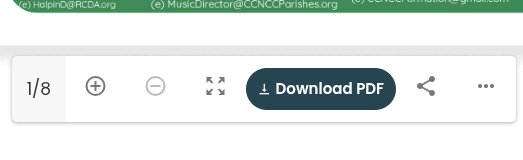
Step Two for Animated Feature
Once you have opened up the web page for the bulletin and allow the animated bulletin to load, you are able to scroll down until you see a function button with four arrows. Each arrow points to a corresponding corner. Click the arrow-button for the bulletin to become the only thing you can see on your page.

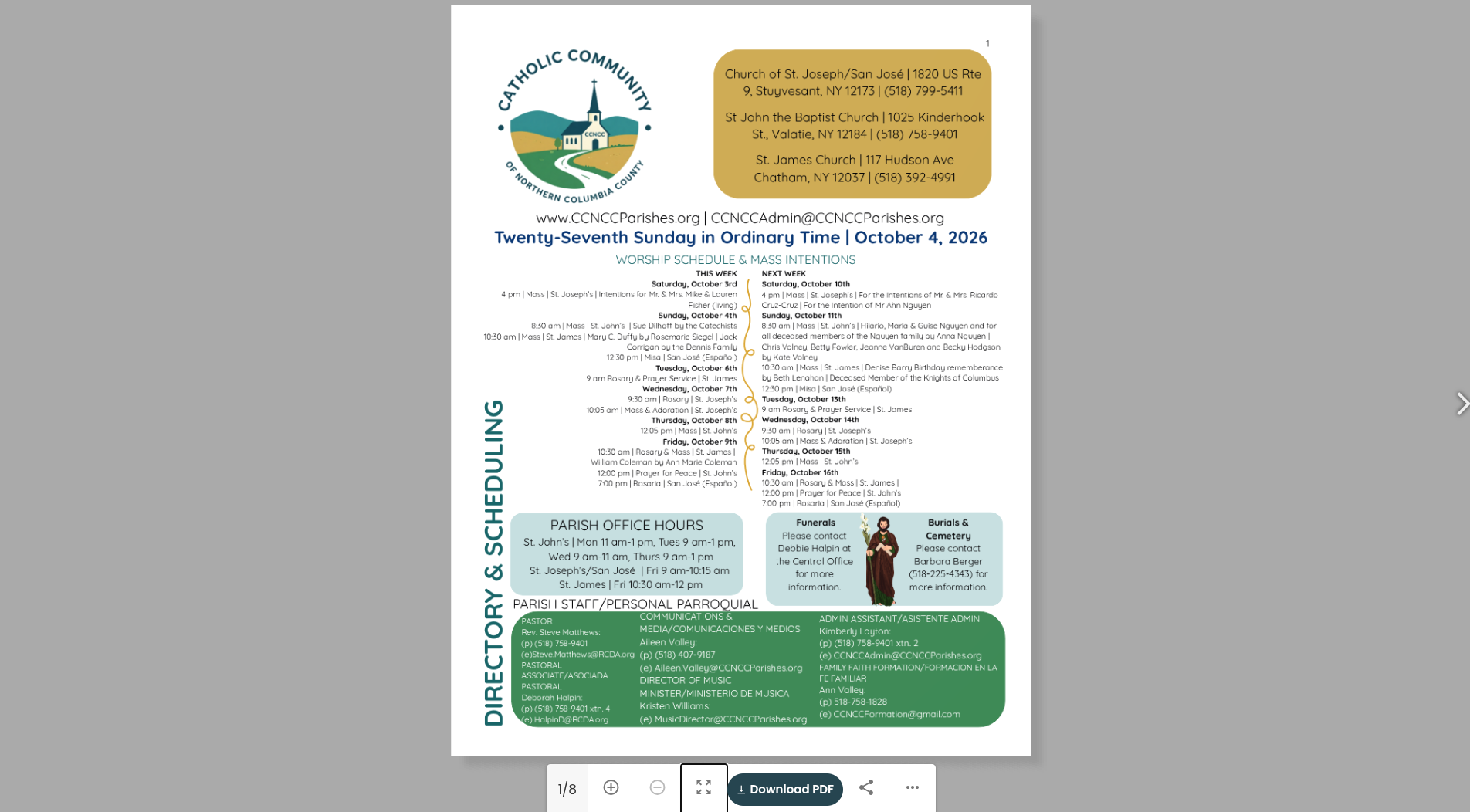
Step Three for Animated Feature
What you are now seeing is a grey background and the bulletin with a white arrowhead to your right. Using the arrowhead, click through the bulletin to the sections you may want to see. You can use the "plus sign" at the bottom of the document to zoom in on certain sections that may be harder to read due to smaller text. Once you are done reading, press the "esc" button on your keyboard, or hover your clicker above the top of the document to see an "x" button appear and click to exit.

Step One for PDF Use
Your first obligation is to click the link on our website to access the bulletin (or the embedded link in our emails to go directly to this week's bulletin). Enter www.CCNCCParishes.org into your web browser. You'll see our home landing page. Scroll down the page until you see the widget for the bulletin, and click the actual image of the bulletin to receive bulletin access.
step two for pdf use
When you click the bulletin image, you will land on a new web page. Towards the top of this page, there will be a navy blue button that says "View as PDF"--click that button.
Step three for pdf
Once you click the blue button, the PDF will automatically download to your computer. Go to your Downloads folder and open the PDF. While reading, you will see a magnifying glass icon and a "+" button to zoom in on smaller print.
Step four for PDF
Because you have downloaded the bulletin, you may "x" out any webpages related to the church or the bulletin in order to continue reading. Once you are done reading the document, you may also "x" out of the document.